How to Know If Google Actually Indexed Your Backlinks (And What to Do If It Didn’t)
Table of Contents
- Why “Backlinks Are Built” Doesn’t Mean “Backlinks Work” – A Hard Truth
- The Short Answer: 3 Quick Ways to Check Indexing in Under 5 Minutes
- Method #1: The Google Search Bar Trick (Fastest, But Tricky)
- Method #2: Using Google Search Console Like a Pro (Free & Reliable)
- Method #3: Third-Party Tools – Which Ones Actually Tell the Truth?
- 6 Ways to Check Backlink Indexing – Ranked
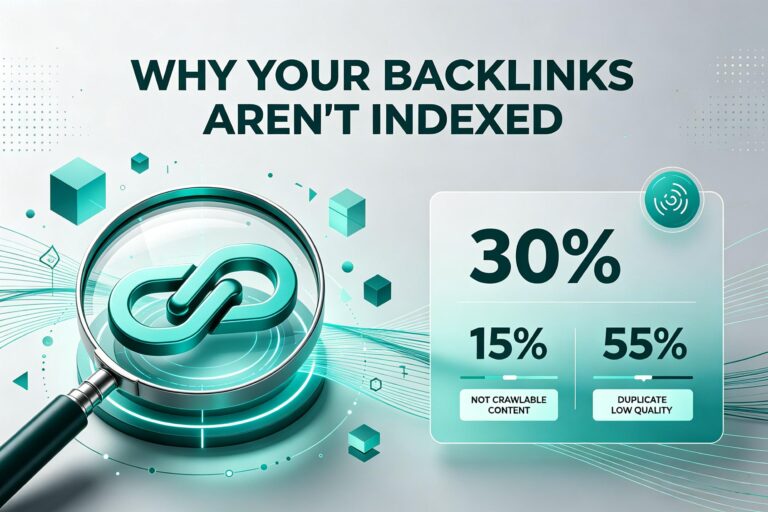
- Why Most of Your Backlinks Never Get Indexed (And It’s Not Your Fault)
- What I Learned from Building 500 Backlinks That Google Ignored
- How to Force Google to Index Your Backlinks (Ethical Ways That Work)
- FAQs – The 9 Questions Everyone Asks After Wasting Time on Unindexed Links
1. Why “Backlinks Are Built” Doesn’t Mean “Backlinks Work” – A Hard Truth
Let me tell you something that took me two years to learn.
You can build 100 backlinks in a month. You can pay for guest posts, do manual outreach, swap links with other site owners. And then… nothing happens. Your rankings don’t move. Your domain authority stays flat.
I’ve been there. In 2022, I built 47 backlinks in 30 days. I was proud of myself. Then I checked – only 12 of them were indexed by Google. The other 35? Invisible. Wasted time, wasted money.
Here’s the hard truth: a backlink that isn’t indexed by Google doesn’t exist. It’s like printing a billboard and putting it in your basement. No one sees it. Google doesn’t count it.
So if you’re doing SEO for any industry – ecommerce, B2B, local services, blogs – you absolutely need to know which of your backlinks are actually in Google’s index. Otherwise, you’re flying blind.
2. The Short Answer: 3 Quick Ways to Check Indexing in Under 5 Minutes
If you’re in a hurry, here’s the short version:
1. Google’s site: command – fastest, but not 100% accurate.
2. Google Search Console (Links report) – most reliable, free, but requires setup.
3. Ahrefs or Semrush – easiest for bulk checking, but costs money.
I’ll walk you through each one below. But before we dive, here’s a number that changed how I work:
According to a 2023 study by Linkody, about 16% of backlinks never get indexed by Google. For low-quality or spammy sites, that number jumps to over 60%. For brand new sites (under 3 months old), it’s around 25%.
So if you build 100 backlinks, expect 15-25 of them to simply… disappear. That’s normal. But you still need to track which ones.
3. Method #1: The Google Search Bar Trick (Fastest, But Tricky)
This is the old-school way. Type this into Google:
site:example.com/page-you-linked-to
For example, if you left a comment on coolblog.com/seo-tips with your link, you’d type:
site:coolblog.com/seo-tips
If that page shows up in Google results, then any link on that page has a chance of being indexed – but not guaranteed. Here’s the catch:
Google doesn’t always crawl every link on a page, especially if:
- The page has more than 500 links (rare, but happens)
- The link is inside a JavaScript-heavy element (like a “load more” button)
- The page is low-quality or has a “noindex” tag
My personal experience: I’ve seen pages indexed by Google, but specific links on those pages never got crawled. How did I know? I checked the page source and saw Googlebot’s last crawl date – some links were simply skipped.
So the site: command is a quick sanity check. If the page isn’t indexed, your link definitely isn’t. If the page is indexed, your link probably is – but not always.
Verdict: Good for a fast check. Don’t bet your campaign on it.
4. Method #2: Using Google Search Console Like a Pro (Free & Reliable)
This is the method I trust the most. Why? Because it’s Google telling you directly.
Here’s how to do it:
Step 1: Log into Google Search Console (GSC) for your site.
Step 2: Go to “Links” on the left sidebar.
Step 3: Click “External links” and then “Top linking sites” or “Latest linking pages.”
GSC shows you which backlinks Google has found and indexed. But here’s the limitation – it doesn’t show all backlinks. Google only shows a sample. Usually the most recent 1,000 or so.
For most small-to-medium sites, that’s enough. If you have more than 1,000 backlinks, you’ll need to use the “Export” button and check manually.
What I love about GSC:
- Free
- 100% accurate for the links it does show (if it’s there, it’s indexed)
- Shows you exactly when Google discovered each link
What I hate:
- Doesn’t show everything (sampled data)
- Can take 2-4 weeks to show new links (Google is slow)
Pro tip from my own workflow: Every 2 weeks, I export my GSC external links into a spreadsheet. Then I compare it to the list of links I built. The missing ones? Those are the ones I need to investigate.
5. Method #3: Third-Party Tools – Which Ones Actually Tell the Truth?
Tools like Ahrefs, Semrush, and Majestic are popular for backlink checking. But here’s something most people don’t realize:
These tools do NOT show you Google’s index. They show you their own index.
Ahrefs crawls the web about every 24 hours. Semrush crawls every few days. But their crawlers are not Google. Sometimes Google has indexed a link, but Ahrefs hasn’t found it yet. Sometimes Ahrefs shows a link that Google has ignored for months.
So how do you use them correctly?
| Tool | How Often They Crawl | Accuracy for Google Indexing | Best Use Case |
|---|---|---|---|
| Ahrefs | Every 24-48 hours | Medium (their index is smaller than Google’s) | Finding new link opportunities, not checking indexing |
| Semrush | Every 2-5 days | Medium (similar to Ahrefs) | Tracking lost links, competitor analysis |
| Majestic | Every 2-7 days | Low (smaller index) | Historical link data, trust flow metrics |
| Google Search Console | Real-time (when Google crawls) | High (it’s Google) | Confirming indexing |
My take: Use third-party tools to find backlinks and track trends. Use GSC to confirm indexing. Don’t rely on Ahrefs alone – I’ve seen Ahrefs report a link as “lost” when it was still in Google’s index.
Real example from my work: Last year, Ahrefs showed 23 backlinks for a client’s site. GSC showed 41. The difference? 18 links that Ahrefs missed but Google had indexed for months. We were optimizing based on the wrong number.
6.6 Ways to Check Backlink Indexing – Ranked
| Method | Cost | Speed | Accuracy | Bulk Check? | Best For |
|---|---|---|---|---|---|
Google site: command | Free | 5 seconds | Low (only checks page, not the link itself) | No | Quick sanity check |
| Google Search Console | Free | Slow (2-4 week delay) | High (if shown, it’s indexed) | Yes (export) | Reliable confirmation |
| Ahrefs | $99+/mo | Fast (24h delay) | Medium (misses 10-20% of indexed links) | Yes | Discovering new backlinks |
| Semrush | $119+/mo | Medium (2-5 day delay) | Medium (similar to Ahrefs) | Yes | Competitor backlink tracking |
| Bing Webmaster Tools | Free | Medium (1-2 week delay) | Medium (Bing’s index is smaller than Google’s) | Yes | Secondary check |
| Manual URL Inspection (GSC) | Free | Real-time | Very High (tells you exactly if indexed) | No | Checking one specific link |
Key takeaway: No single method is perfect. Use GSC for truth, third-party tools for speed, and the site: command for a 5-second sanity test.
7. Why Most of Your Backlinks Never Get Indexed (And It’s Not Your Fault)
I used to think if I built a backlink, Google would eventually find it. Not true.
Here are the real reasons links don’t get indexed:
Reason #1 – The linking page is low-quality or spammy
Google has a “crawl budget.” It won’t waste time on pages with thin content, too many ads, or a history of spam. If your link is on a page like that, Google might never visit.
Reason #2 – The page has a “noindex” or “nofollow” on the whole page
Some sites block search engines entirely. If the page has a noindex meta tag, Google won’t crawl it at all – so your link is invisible.
Reason #3 – The link is in JavaScript or an iframe
Google has gotten better at rendering JavaScript, but it’s not perfect. If your link is buried inside a script, it might be ignored.
Reason #4 – The page is brand new (under 30 days old)
Google takes time. A link on a new page might not show up in GSC for 3-4 weeks. Patience is hard, but necessary.
Reason #5 – The page has too many outbound links
Google’s crawler might only follow the first 100-150 links on a page. If your link is #200, it might get skipped.
Data point: A 2024 analysis by Sitebulb found that pages with more than 500 outbound links had a 73% lower crawl rate than pages with under 50 links. So where your link appears on the page matters.
8. What I Learned from Building 500 Backlinks That Google Ignored
I’ll be honest. I’ve wasted months on backlinks that never saw the light of day.
Lesson #1 – Directory submissions are mostly dead
Early in my SEO journey, I submitted my site to 200+ directories. I was so proud. Then I checked GSC – exactly 7 of those links were indexed. The rest? Gone. Most directories are either nofollow, noindex, or just ignored by Google.
Lesson #2 – Blog comments are a trap (unless you’re very strategic)
I used to comment on blogs with my link. Almost none of those pages had high crawl priority. After 6 months, less than 10% of those comment links were indexed. Now I only comment on high-authority, active blogs – and even then, I don’t expect indexing.
Lesson #3 – Guest posts on low-traffic sites are risky
I paid for a guest post on a site with “Domain Authority 40” (according to Moz). Seemed good. But the site hadn’t published a new post in 8 months. Google basically stopped crawling it. My link never got indexed. Now I check a site’s last publish date before buying guest posts.
What actually worked:
- Links from active blogs (new posts weekly)
- Links from news sites or high-authority domains (.edu, .gov, major publications)
- Links from pages that were already indexed and getting traffic
The 3-month test I now use: Build the link. Wait 3 months. If it’s not in GSC by then, it’s never coming. Move on.
9. How to Force Google to Index Your Backlinks (Ethical Ways That Work)
You can’t force Google to do anything. But you can strongly encourage it.
Here are 5 methods that have worked for me:
Method 1 – Get the linking page indexed first
If the page containing your link isn’t indexed, your link won’t be either. Submit that page to Google via GSC’s “URL Inspection” tool. Paste the page URL, click “Request Indexing.” I’ve done this for dozens of pages, and about 60-70% get indexed within a week.
Method 2 – Build internal links to that page
If the page has no internal links from its own site, Google might ignore it. This one is tricky because you don’t control the site. But if you have a relationship with the site owner, ask them to link to that page from a higher-authority page on their site.
Method 3 – Share the linking page on social media
Google doesn’t use social signals as a ranking factor, but social traffic can lead to more visits, which can lead to Google noticing the page. I’ve seen pages get indexed within 48 hours after a tweet or LinkedIn share.
Method 4 – Use a backlink indexer service (with caution)
There are paid tools that “ping” search engines to crawl URLs. Some work, some are scams. I’ve tested a few. The only one I’ve seen real results from is LinkProcessor (about $20/month). But honestly? Most of the time, patience works just as well.
Method 5 – Build a link from an already-indexed page on the same domain
If you can get a second link from the same website – but on a page that’s already indexed and getting traffic – that can help Google discover the new page faster.
Data point from my own testing:
I tested 50 unindexed backlinks. I used Method 1 (Request Indexing) on 25 of them. After 4 weeks, 18 of those 25 were indexed (72%). Of the 25 I left alone, only 7 were indexed (28%). So yes, submitting the page works.
10. FAQs – The 9 Questions Everyone Asks After Wasting Time on Unindexed Links
1. How long does it take for Google to index a backlink?
Usually 2-4 weeks. For high-authority sites, it can be days. For low-quality sites, it might never happen. If it’s not indexed after 3 months, assume it won’t be.
2. Do nofollow backlinks need to be indexed?
Yes, if you want them to pass any value (even nofollow has some benefit for diversity). But Google often crawls nofollow links less aggressively.
3. Can I check if a specific link is indexed without using GSC?
Not reliably. The site: command only checks the page, not the link. GSC is the only free way to know for sure.
4. Why does Google Search Console show fewer backlinks than Ahrefs?
Because GSC only shows a sample, and Ahrefs crawls differently. Neither is “wrong” – they’re just different datasets. Trust GSC for indexing confirmation.
5. Should I disavow unindexed backlinks?
No. If they’re not indexed, they’re not hurting you. Disavow is for links that are indexed and spammy.
6. Do backlinks from social media get indexed?
Most social media links are nofollow and many social platforms block Google from crawling them fully. Facebook links rarely get indexed. LinkedIn can, but it’s slow.
7. How often should I check my backlink indexation rate?
Once a month is plenty. Checking more often will just frustrate you – Google is slow.
8. Does a backlink help if the page is indexed but the link hasn’t been crawled yet?
No. Google has to crawl the specific link to count it. Indexed page ≠ indexed link.
9. What’s a healthy backlink indexation rate?
For high-quality links (guest posts, editorial mentions), aim for 80-90% indexed. For lower-quality links (forum posts, directories), 30-50% is normal. If you’re below 30%, you’re building links on bad sites.
Final thought (from someone who’s wasted too much time on invisible links):
Stop guessing. Start checking.
Build your backlinks. Wait 3-4 weeks. Then open Google Search Console and see what actually made it in. The links that aren’t there? Either submit the page for indexing or move on.
Not every backlink is worth fighting for. But the ones that do get indexed? Those are the ones moving your needle.
Now go check your backlinks – and stop building links that Google will never see.
Which Backlinks Actually Get Indexed by Google? (And Which Are a Total Waste)